

Staring at your ultrasound scan trying to figure out what your baby actually looks like? I get it. Those black and white images can be hard to interpret, especially when you're trying to share the excitement with family and friends who just nod politely while squinting at what looks like a blob.
UltrasoundToPhoto is an AI tool that converts your regular ultrasound image into a realistic baby portrait. I tested it out and spent time looking into what other parents are saying about it. Here's what you need to know before you pay for it.
I Spent $45 on Ultrasound To Photo AI (Here's What I Got)
What is Ultrasound To Photo AI?
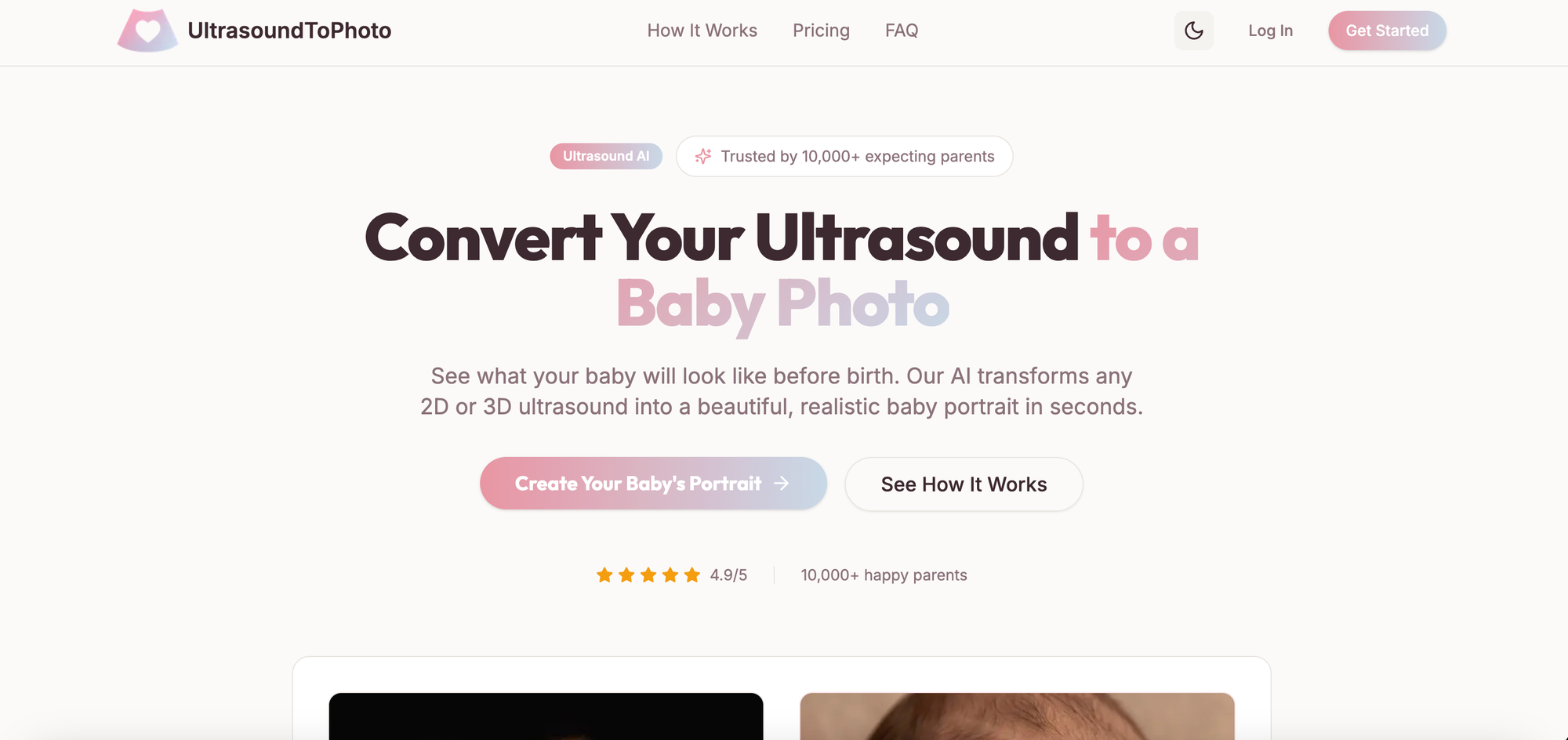
Ultrasound To Photo takes your 2D or 3D ultrasound scan and uses artificial intelligence to generate what looks like an actual photograph of your baby. You upload your ultrasound image, their AI processes it, and you get back a portrait that shows what your baby might look like.
The tool was built specifically for expectant parents who want a clearer, more shareable image of their baby before birth. Over 10,000 parents have used it so far, and they're sitting at a 4.9 out of 5 rating based on user reviews.
What makes it different from just looking at your ultrasound? The AI adds realistic skin tones, smooths out the grainy quality, and fills in facial details that are hard to see in standard ultrasound images. You end up with something that actually looks like a baby photo instead of a medical scan.
How Ultrasound To Photo works
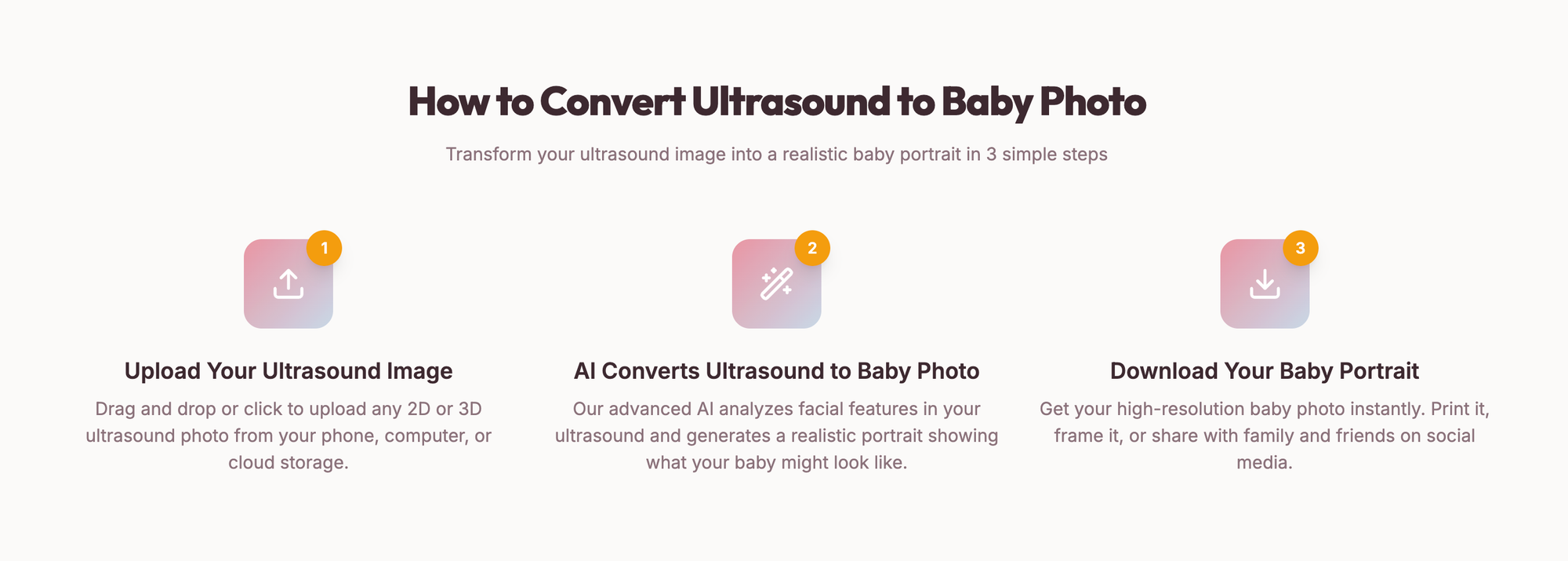
The process is pretty straightforward. You don't need any technical skills or special software.
Step 1: Upload your ultrasound Take a photo of your ultrasound print or upload a digital copy from your phone or computer. The tool accepts both 2D and 3D ultrasounds from any pregnancy stage.
Step 2: AI processing Their artificial intelligence analyzes the facial features visible in your ultrasound. It identifies the basic structure and uses that as a foundation to create a realistic baby portrait. This takes under 30 seconds.
Step 3: Download your baby portrait You get a high-resolution image you can download immediately. Depending on which package you choose, you'll get either 2K or 4K resolution, which is good enough for printing and framing.
The whole thing takes maybe 2-3 minutes from start to finish. No waiting for processing queues or complicated editing steps.
What quality can you expect?
This is the big question everyone asks. Let me be upfront: you're getting an AI interpretation, not a photograph of your actual baby. Think of it more as artistic visualization than a prediction tool.
Resolution options They offer two quality levels:
- 2K resolution: Good for viewing on screens and social media sharing
- 4K resolution: Print-ready quality that looks good when framed
The 4K option is what you want if you're planning to print and frame the image or include it in a baby book. The 2K version works fine for digital sharing but might look pixelated if you try to print it large.
How realistic does it look? From the examples on their site and parent reviews, the results look like actual baby photos. The AI adds natural skin tones, realistic lighting, and smooth details. It doesn't look like a filter on an ultrasound. It looks like someone took a photo of a newborn.
That said, it won't be a perfect prediction of what your baby will look like at birth. Babies change a lot in those final weeks of pregnancy, and genetics aren't something AI can predict with total accuracy. What you get is a plausible, realistic interpretation based on the features visible in your ultrasound.
Pricing breakdown
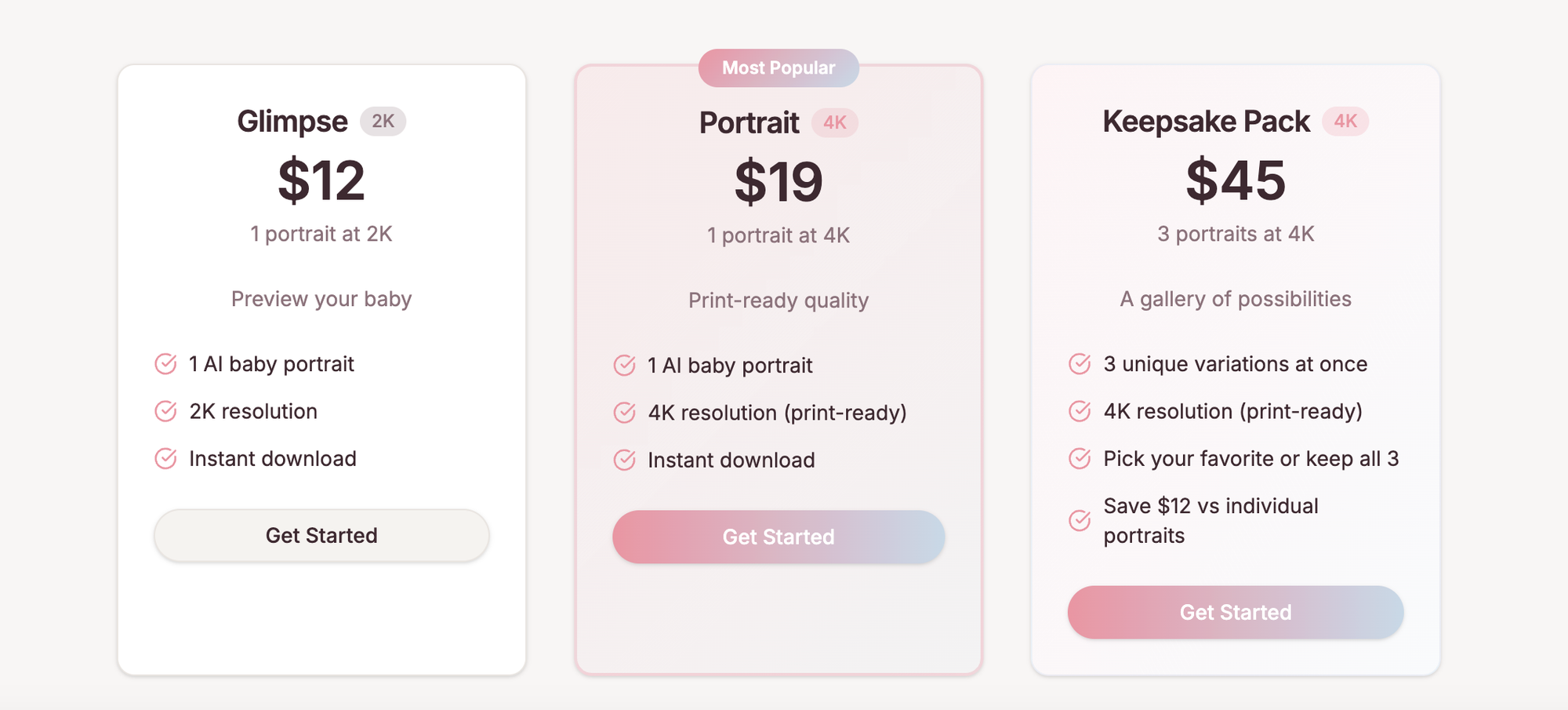
UltrasoundToPhoto has three pricing tiers. No subscription needed. You pay once per image or package.
Glimpse - $12
- 1 AI baby portrait
- 2K resolution
- Instant download
This is the basic option if you just want to see what the AI can do or you only need it for digital sharing.
Portrait - $19
- 1 AI baby portrait
- 4K resolution (print-ready)
- Instant download
This is probably the sweet spot for most people. You get print quality without breaking the bank. If you're planning to frame it or include it in a baby book, this is the tier you want.
Keepsake Pack - $45
- 3 unique variations at once
- 4K resolution (print-ready)
- Pick your favorite or keep all 3
- Saves you $12 vs buying individually
The AI generates three different interpretations of your ultrasound. Each one looks slightly different. This option makes sense if you want variety or you're not sure which style you'll like best.
Most parents go with either the single 4K portrait or the keepsake pack. The 2K option is really just for testing it out.
Privacy and security
Since you're uploading medical images of your unborn baby, privacy matters. Here's how Ultrasound To Photo handles your data:
Encryption All uploaded images are encrypted during upload and processing. They use standard security protocols to protect your data while it's on their servers.
Automatic deletion Your ultrasound images and generated portraits are automatically deleted from their servers within 24 hours. They don't keep a permanent copy of your files.
No sharing or selling According to their privacy policy, they don't share, sell, or use your images for any purpose beyond generating your baby portrait. Your images aren't used to train their AI or shared with third parties.
HTTPS connection The site uses HTTPS, which means your connection is encrypted when uploading images.
This is about as good as it gets for a service like this. They're transparent about what happens to your data, and they delete it quickly. That's what you want to see.

What types of ultrasounds work best?
UltrasoundToPhoto claims to work with any ultrasound image, but results vary depending on what you upload.
3D and 4D ultrasounds These give the best results. They have more detail and depth information for the AI to work with. If you have a 3D or 4D scan, especially from the third trimester, you'll get the most realistic portrait.
2D ultrasounds Standard 2D scans also work, but the AI has less information to go on. You'll still get a realistic baby portrait, but it requires more interpretation from the AI. Results are more approximate.
Pregnancy stage Later pregnancy scans (third trimester) typically produce better results because your baby's features are more developed. Early pregnancy scans can work, but expect more variation from reality since there's less facial detail visible.
Image quality Upload the clearest image you have. If your doctor gave you digital files, use those instead of taking a photo of a print. Better input quality means better output quality.
Pros and cons from actual use
What works well:
- Fast processing (under 30 seconds like they promise)
- Simple upload process that anyone can figure out
- High-resolution outputs that look good printed
- Automatic deletion gives peace of mind about privacy
- Works with both 2D and 3D ultrasounds
- No subscription or hidden fees
What could be better:
- Only one portrait per purchase on the basic tiers
- Results are interpretations, not predictions
- Can't adjust the generated image after processing
- No free trial to test before paying
- The 2K resolution isn't great for printing
The biggest limitation is that you can't see results before paying. Other than that, it does what it promises without major issues.
Common questions about UltrasoundToPhoto
Is it accurate? It's not designed to predict what your baby will actually look like. It creates a realistic portrait based on your ultrasound, but it's artistic interpretation. Your real baby might look similar or quite different. The tool is upfront about this.
Can I use it multiple times? Yes, each purchase is for one set of images. If you have multiple ultrasounds from different appointments, you can upload each one separately. You'd just pay for each conversion.
What if I don't like the result? There's no refund policy mentioned on their site, which is pretty standard for AI services like this. You're paying for the processing, not a guaranteed outcome. That's why starting with the cheaper option might be smart if you're unsure.
Does it work on phone ultrasounds? Yes, you can upload photos taken with your phone. Just make sure the image is clear and well-lit. Blurry photos will produce blurry results since the AI can only work with what you give it.
How private is my information? Very private based on their stated policies. Images are encrypted, processed, and deleted within 24 hours. They don't share or sell your data.
Who should use Ultrasound To Photo?
This tool makes sense for:
Parents who want a shareable keepsake If you're tired of showing people ultrasounds they can't interpret, the AI portrait gives you something clearer to share. Grandparents especially appreciate seeing a realistic image instead of trying to decode a medical scan.
People making baby books or nursery decor The 4K version prints well and makes a nice addition to a baby book or nursery wall. It's a unique pregnancy memento that you won't get from a standard ultrasound print.
Anyone curious about their baby's features Even knowing it's not a perfect prediction, seeing a realistic interpretation can be fun. It makes the pregnancy feel more real when you can visualize your baby as an actual person.
Gift givers If you're looking for a unique baby shower gift for expectant parents, a gift card for this service could be thoughtful. It's something they might not buy for themselves but would enjoy having.
Who might want to skip it?
If you're expecting medical accuracy This is entertainment and keepsake creation, not medical imaging. If you're looking for actual predictions or diagnostic information, this isn't the right tool.
If you're on a tight budget At $12-45 per use, it's not expensive, but it's also not necessary. If money is tight, your regular ultrasound images work fine for their intended purpose.
If you prefer realistic expectations Some parents don't want to build up a mental image before their baby arrives. They'd rather be surprised. If that's you, save your money and stick with traditional ultrasounds.
How Ultrasound To Photo compares to alternatives
There are other AI ultrasound converters out there, but Ultrasound To Photo is one of the more polished options. The 30-second processing is faster than most competitors. The pricing is in line with similar services.
What sets it apart is the 4K quality option and the keepsake pack that gives you three variations. Most competitors only offer one style or lower resolutions. The automatic 24-hour deletion is also better than services that keep your images indefinitely.
You're paying a bit more than the cheapest options, but you're getting better quality and faster processing. For most people, the extra few dollars is worth it.
Final verdict on Ultrasound To Photo AI
Ultrasound To Photo does what it promises. It takes your ultrasound and turns it into a realistic-looking baby portrait quickly and securely. The quality is good, the process is simple, and the privacy protections are solid.
Is it necessary? No. Your baby will arrive eventually and you'll get all the real photos you want. But as a pregnancy keepsake and a way to share excitement with family, it's a fun option that 10,000+ parents have enjoyed.
The $19 single 4K portrait is probably the best value if you just want one good quality image. The $45 keepsake pack makes sense if you want variety or you're having twins and want multiple styles.
Just go in knowing you're getting artistic interpretation, not a crystal ball. Treat it as a fun pregnancy memento rather than a prediction tool, and you'll probably be happy with the results.
If you're curious about what your baby might look like and you don't mind spending $12-45 to find out, Ultrasound To Photo AI is worth trying. Worst case, you get a unique photo to add to your pregnancy memories. Best case, you get a keepsake you'll treasure alongside your ultrasound prints.
The real photo opportunity comes in a few months when your baby arrives. This is just a fun preview to hold you over until then.

